3
Wacky Flip is one of those chaotic little arcade games that’s equal parts frustrating and hilarious—and honestly, that’s exactly why I keep coming back to it. The whole idea is simple: you fling a ragdoll-style character into the air, spin them around like crazy, and try to stick a clean landing. Easy in theory. In practice? Chaos. Gravity feels like it has a personal vendetta against you, and every attempt turns into a weird, unpredictable stunt show.
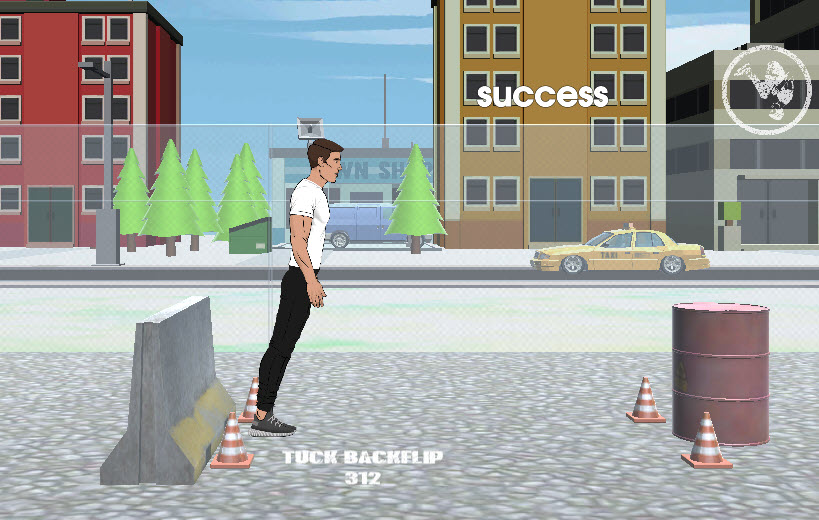
What really makes Wacky Flip stand out is how it leans hard into exaggerated physics and goofy visuals. Nothing ever feels fully under your control, and that’s kind of the point. One jump might look smooth and stylish, like you actually know what you’re doing. The next second, you’re ricocheting off a wall, spinning out of control, and landing somewhere you definitely didn’t plan.
I’ve had moments where I thought, “Okay, this is the run,” only to faceplant in the most absurd way possible. And weirdly enough, even the fails are fun to watch.
The levels feel like these messy, dangerous playgrounds packed with gaps, platforms, and strange structures just waiting to mess up your timing. You can try to be careful and calculated—but the game constantly tempts you to just wing it and hope physics is on your side.
That push-and-pull between skill and randomness is what makes it so addictive. When you land a clean flip, it feels genuinely satisfying. But when you fail, it’s usually so ridiculous that you can’t help but laugh and immediately try again.
Wacky Flip has this playful, almost sarcastic personality. It never tries to act like a serious physics simulator or a competitive precision game. Instead, it fully embraces the messiness. The animations, the ragdoll movement, the unpredictable crashes—it all adds up to a kind of chaotic comedy that just works.
At some point, you stop trying to “win perfectly” and start enjoying the nonsense that happens mid-air. Every attempt feels like a short, unpredictable story where something will definitely go wrong—you just don’t know how yet.
Launch / Jump
Left Mouse Click or Spacebar – Send your character flying into the air
Flipping / Rotation Control
Hold Left Mouse Button or Spacebar – Keep spinning/control flip speed
Release – Slow down rotation or prep for landing
Directional Control (if available)
A / D or Left / Right Arrow Keys – Adjust balance or tilt mid-air
Landing
No specific button—this is all timing
Release controls at the right moment and hope your character lands on their feet
At its core, Wacky Flip is way more about timing than precision. It’s not about memorizing combos or executing perfect inputs—it’s about feeling the rhythm of the jump, adjusting mid-air, and reacting to whatever chaos the physics engine throws at you. Even tiny changes in timing can completely change how a jump turns out, which is exactly what makes every attempt unpredictable and kind of addictive.